Build with guidance.
Start with a recognized framework. Tailor scenarios, response tasks, decision points, and requirements to your organization.
The faster way to an actionable IR plan
Answer guided questions about your organization. In minutes, IR-OS turns your answers into a tailored plan with ready-to-use response steps, decision points, responsibilities, and requirements.
No account. No credit card. Sample information is not saved.
From blank page to usable plan
Sector, locations, data, and business needs.
Review relevant tasks and decision points.
Assign people, practice, and guide a response.
Why teams choose IR-OS
Your plan becomes a working part of the response instead of a document your team has to find and interpret under pressure.
Start with a recognized framework. Tailor scenarios, response tasks, decision points, and requirements to your organization.
Connect the plan to responsibilities, owners, and checkpoints so technical and business participants know how to contribute.
Let the plan guide incidents and exercises. Turn what your team learns into tracked improvements and a new plan version.
Value you can verify / 02
Use your own planning assumptions below. The interactive demo replaces them with your baseline, active time, and completed quality checks.
Target is faster than your current process.
Based only on the planning inputs you selected.
Measure the actual result in the demo before using it in a business case.
Proof before the purchase
See whether IR-OS can make a complete response workflow 5x faster for your team. The demo shows the multiplier you actually achieve.
Use your own estimate for gathering facts, coordinating decisions, and preparing a leadership update.
Record a decision, recovery update, traceable review, and leadership brief. Pause the clock if you step away.
IR-OS only shows a completed result after every required output passes the quality gate.
All required outputs passed the quality gate.
The result compares your estimate with active time in a synthetic scenario. It does not claim a production incident will achieve the same result.
From preparation to response
Review your IR plan, assign responsibilities, and add the knowledge your team relies on.
Explore readiness →Capture the facts, coordinate actions, and keep decisions visible as the incident develops.
Try a sample incident →Review the outcome, identify gaps, and turn lessons into preparation for the next incident.
Explore reporting and AI →
Why organizations choose IR-OS
Give your team a plan they can use, a response process they can follow, and a record leadership can trust.
Guided steps turn organizational needs into an actionable starting point.
Business and technical participants work from the same priorities and owners.
Plans, policies, contacts, and evidence remain connected to the response.
Your people can inspect the sources, activity, and output before acting.
More than a plan
Give every participant a clear next step, keep critical resources within reach, and preserve the evidence your organization needs before, during, and after an incident.
Bring facts, priorities, workstreams, owners, and decision points into one shared view. Each participant can see what needs attention and who is responsible for moving it forward.
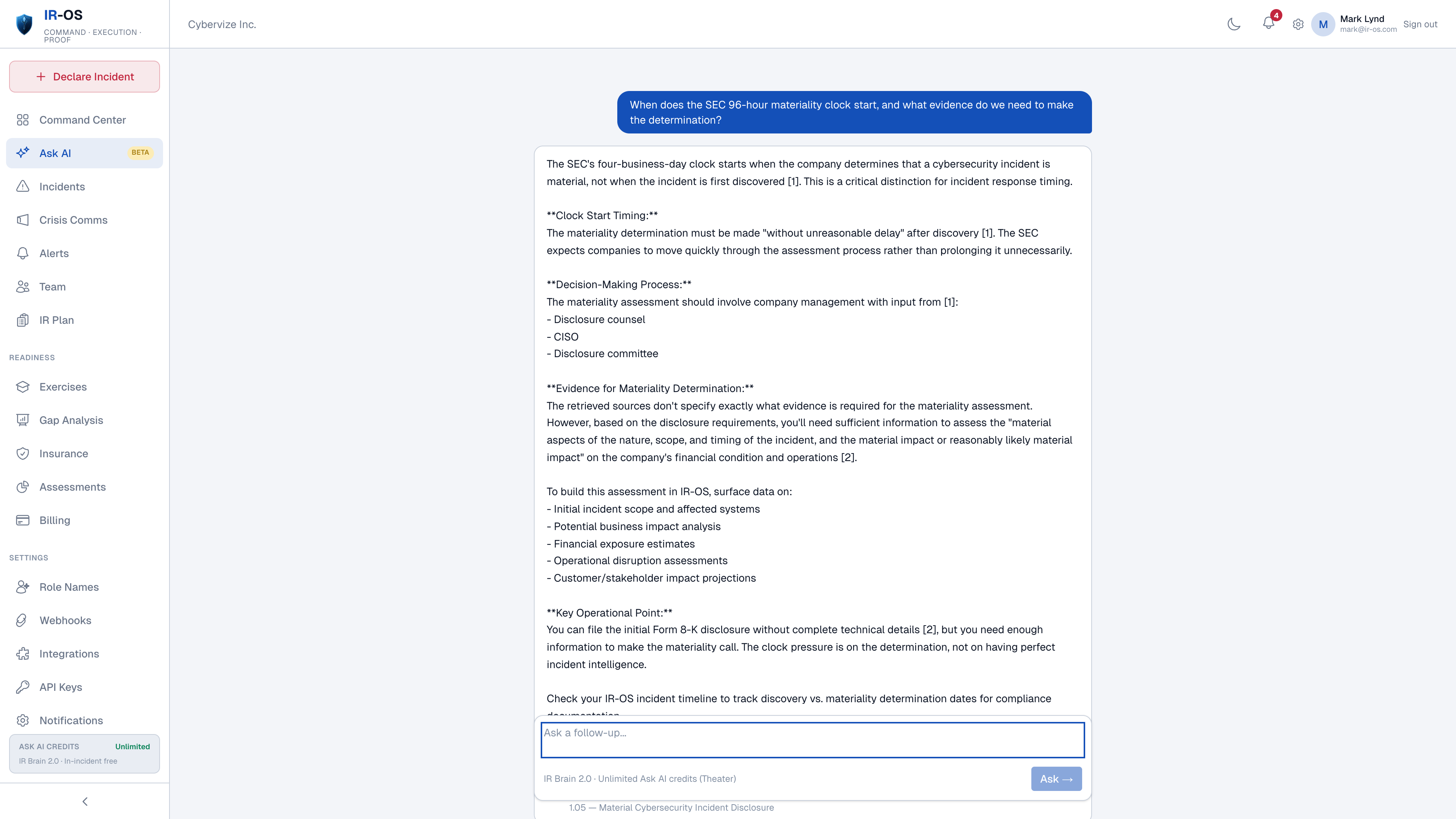
Use specialized assistants to research, prepare, review, and document response work. Answers can cite the source material behind them, while your people remain responsible for decisions and actions.
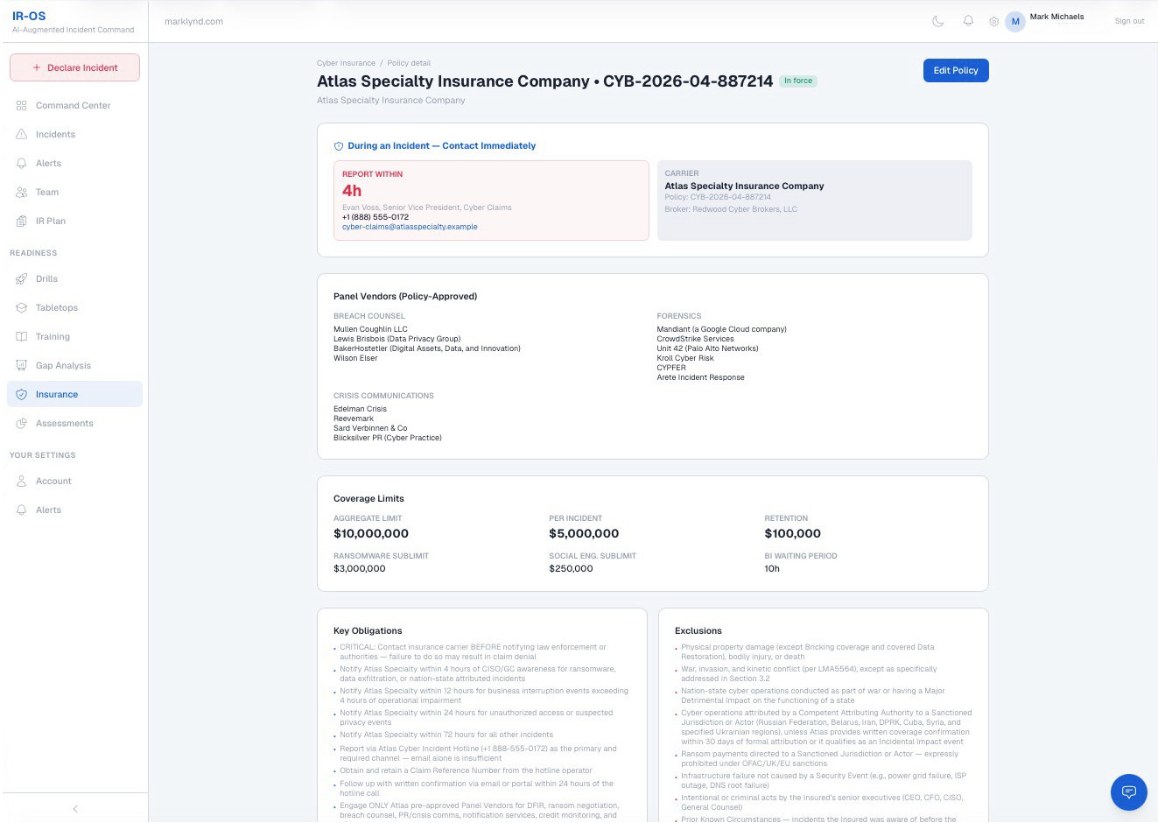
Upload your cyber insurance policy before an incident. Authorized team members can reach carrier notice requirements, contacts, coverage conditions, and approved resources without searching through email or shared drives.
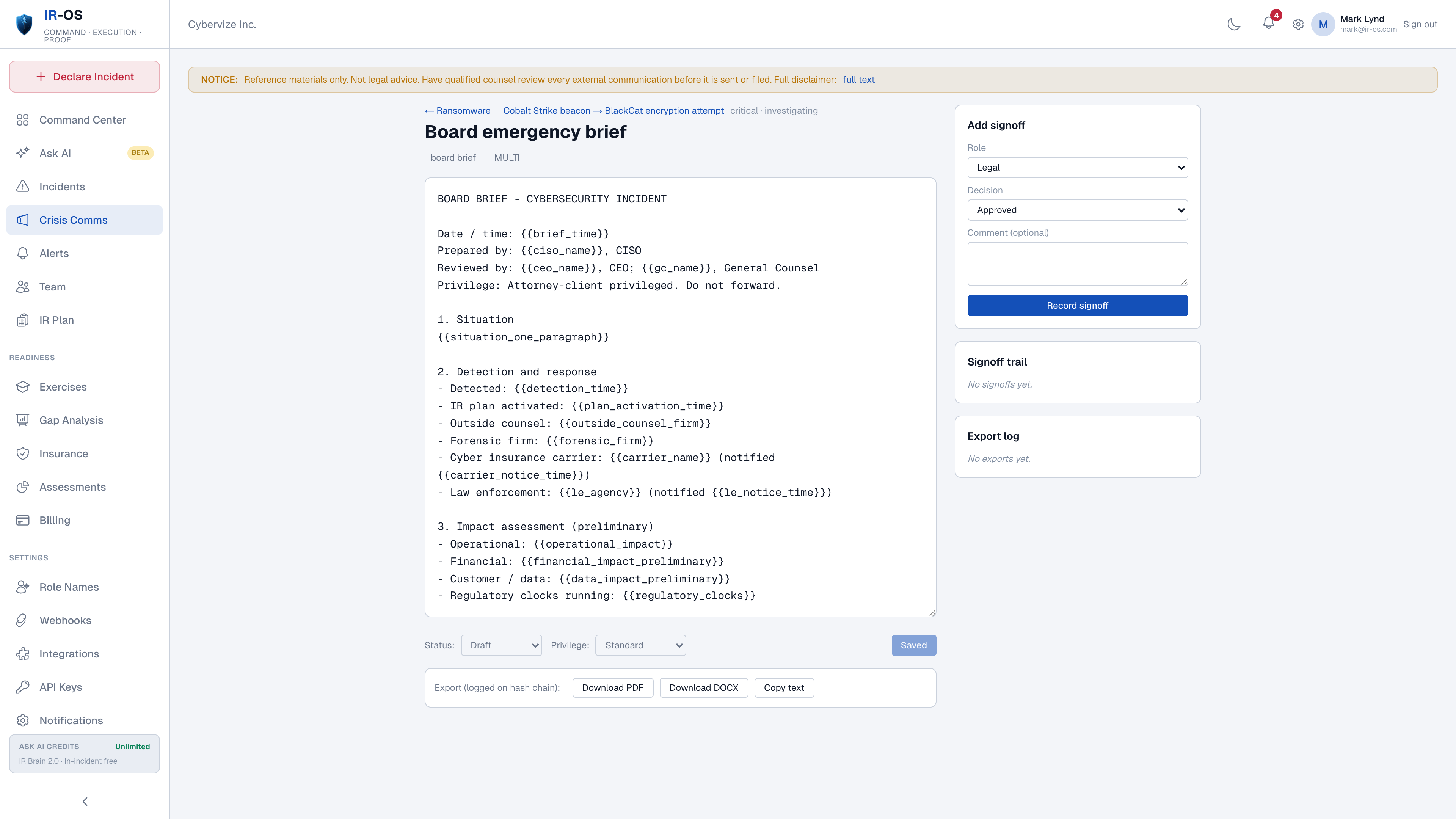
Draft stakeholder communications from the facts already captured in the response. Templates, review steps, and signoffs help the team move quickly while keeping the message controlled.
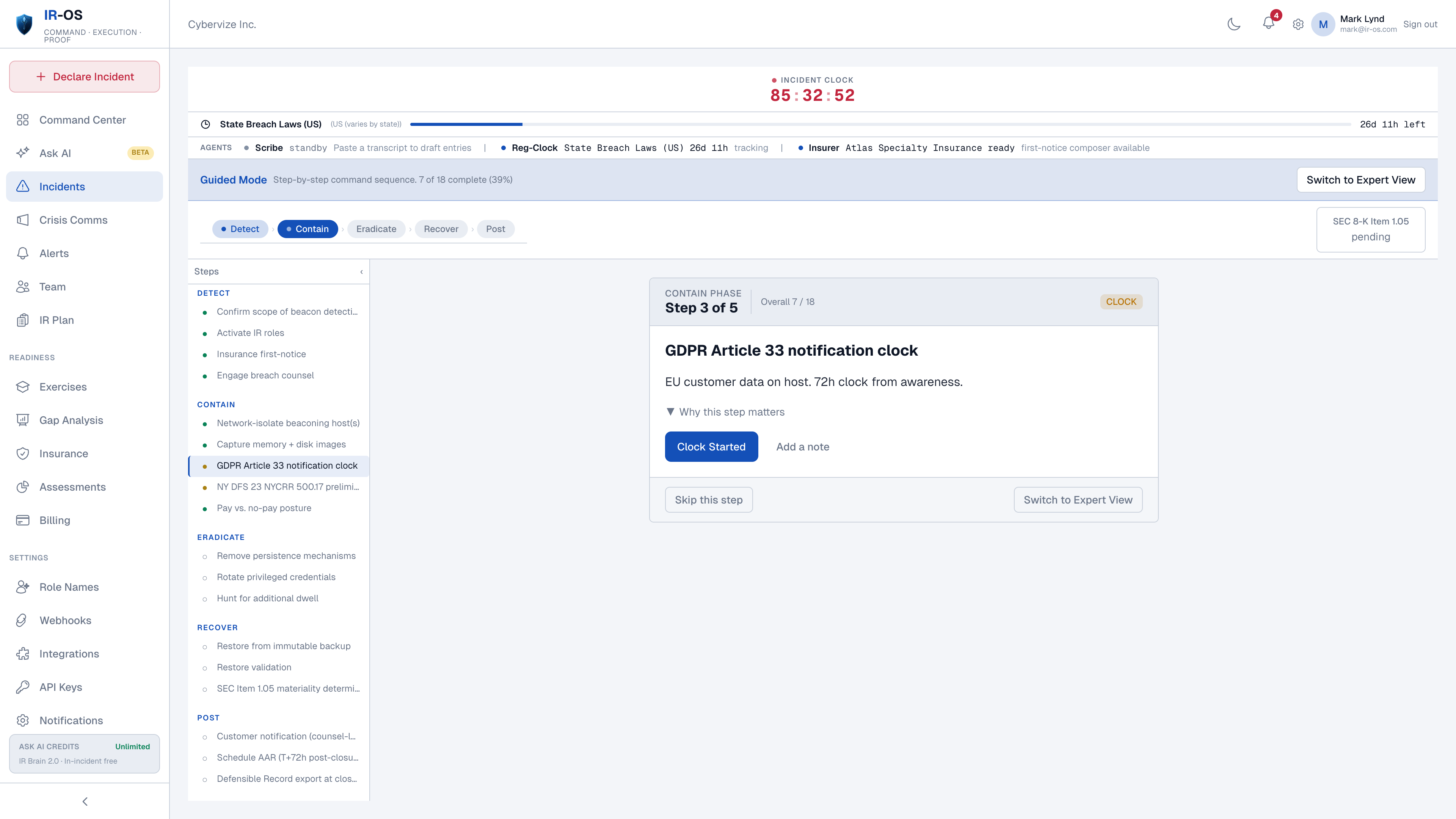
Track notification clocks alongside the incident facts, owner, trigger, and supporting evidence. Legal and compliance teams gain a shared view of what must be evaluated and when.
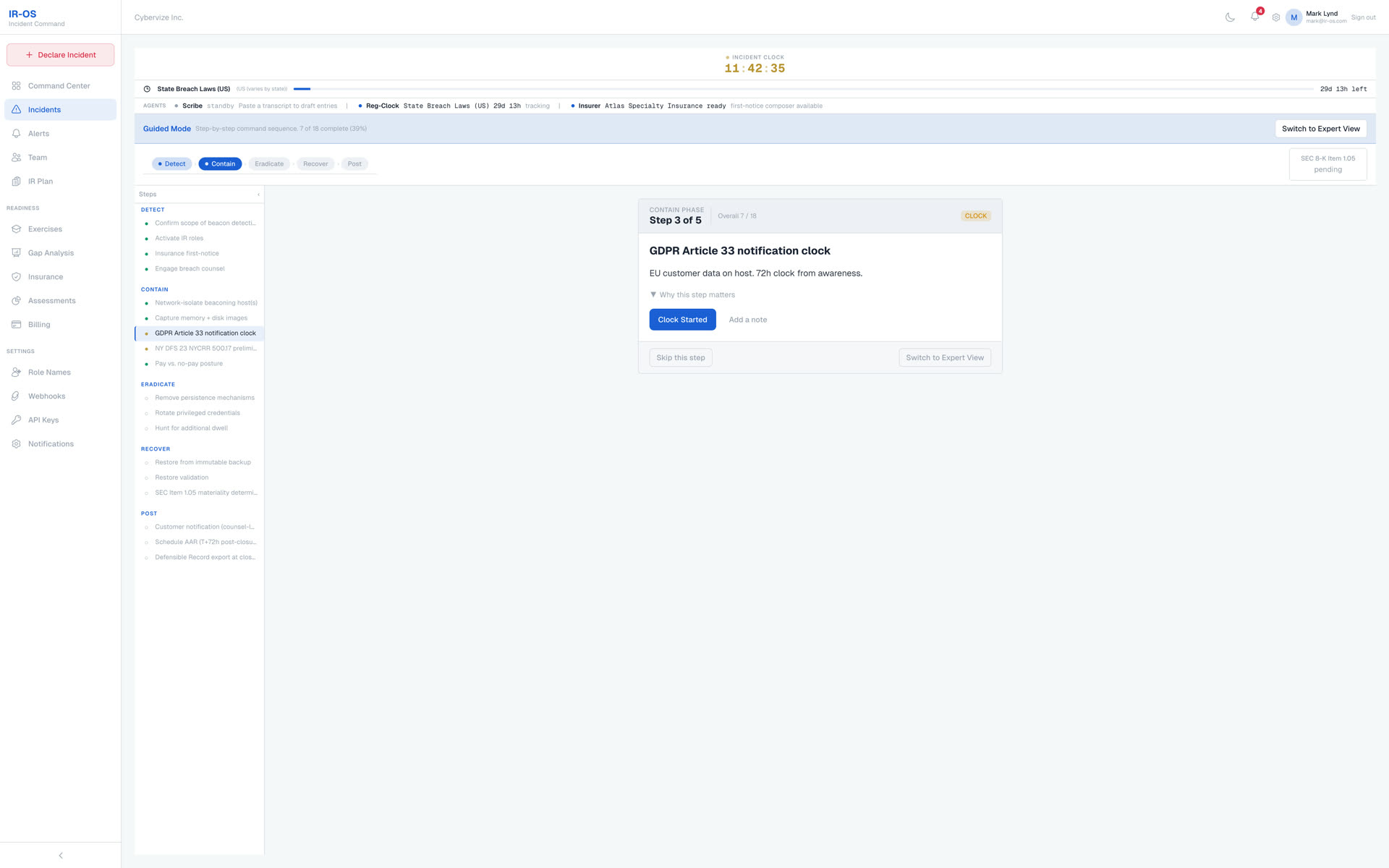
Connect actions, decisions, approvals, communications, and evidence across the response. After the incident, your team has a coherent record to review, verify, and use for improvement.
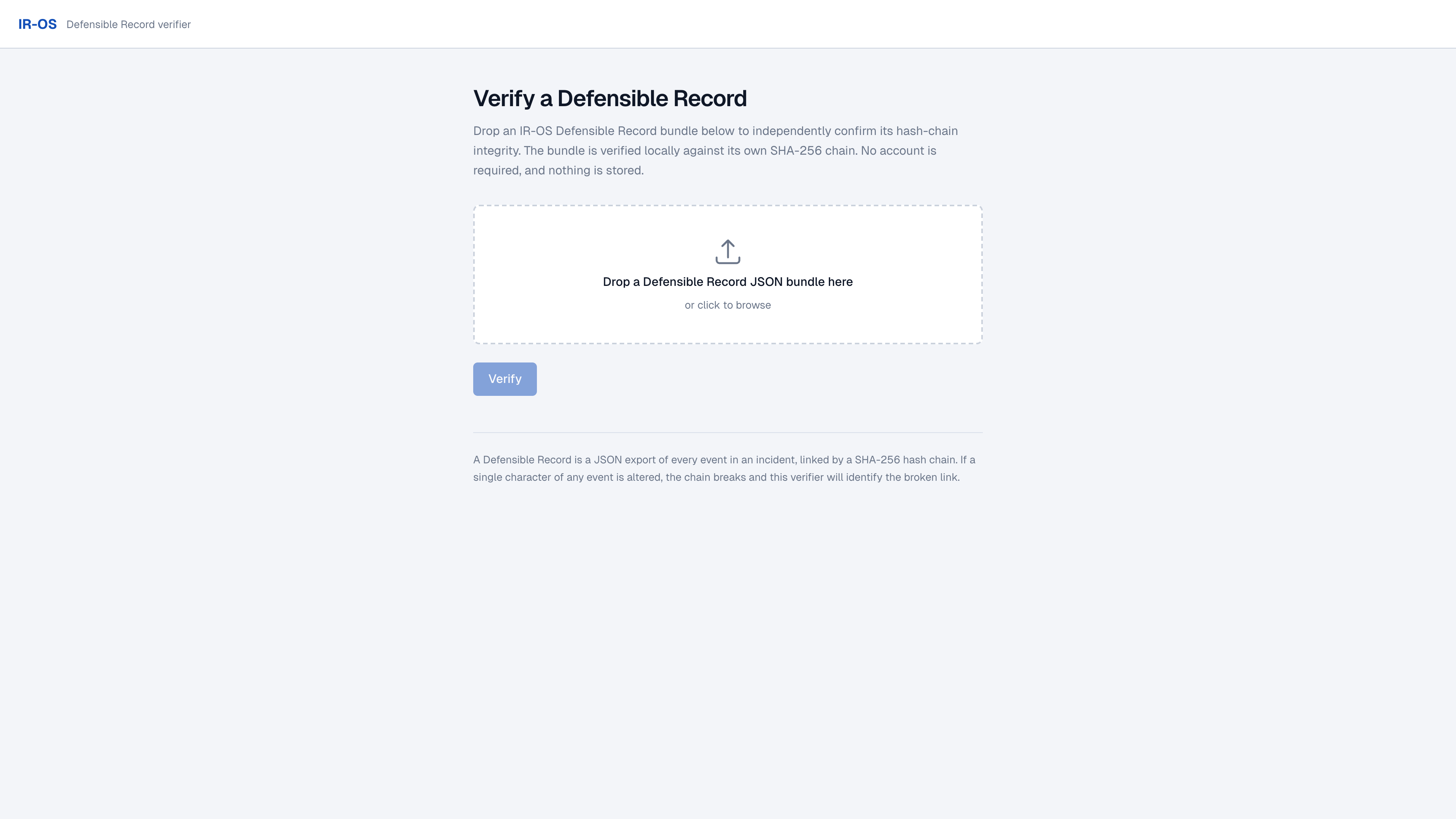
Leadership clarity. Team-wide participation.
Security, IT, operations, legal, communications, and HR. Different responsibilities. A shared understanding of what matters next.
Explore how your team works together →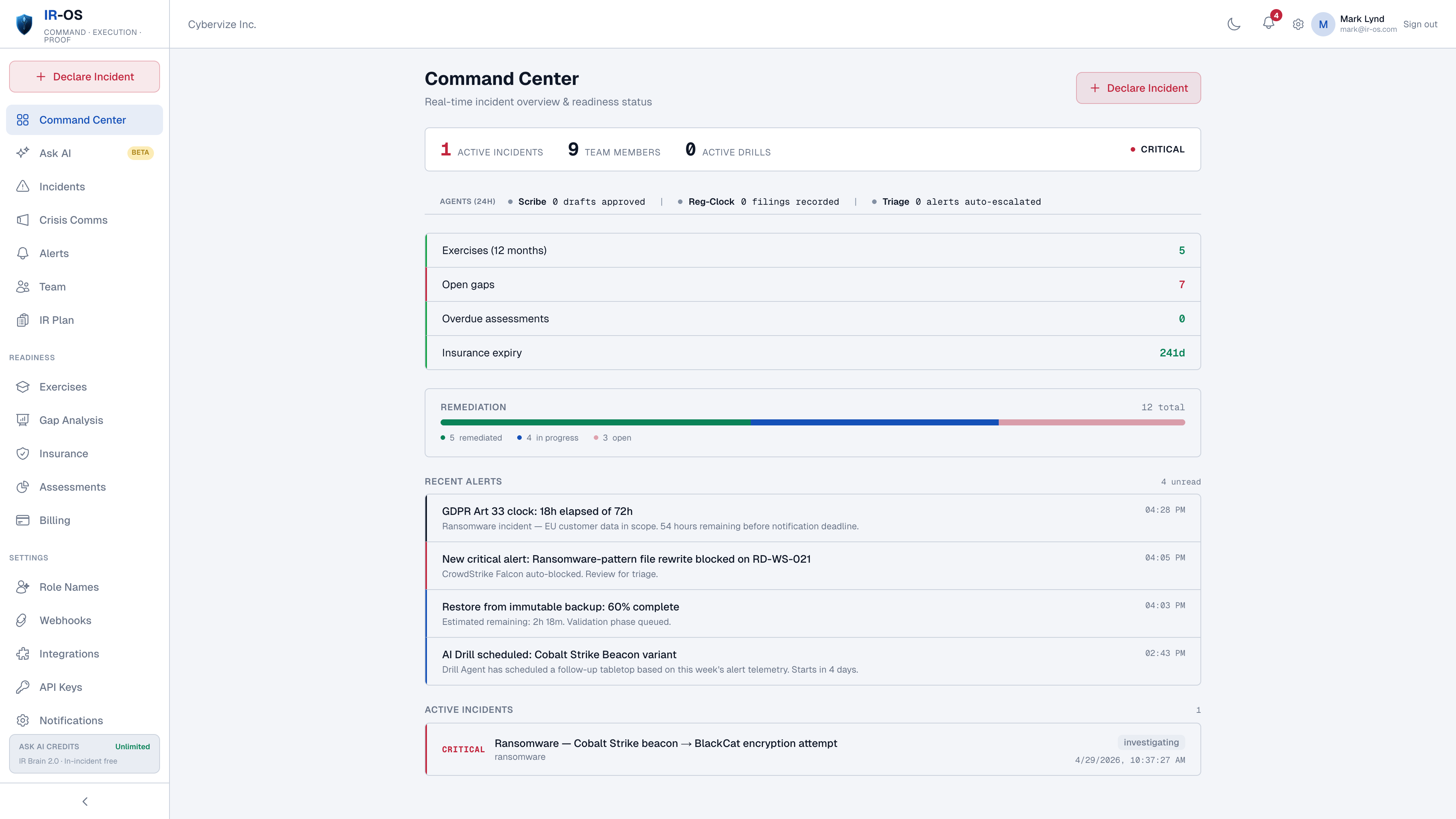
See decisions, ownership, and response priorities.
Connect service recovery to business impact.
Review obligations and the evidence behind each update.
AI assistance. Human decisions.
Use managed agents to prepare, review, and document response work. See their activity and review their output before acting.
When an AI agent is involved in an incident, follow a dedicated response workflow to scope exposure, coordinate containment, and document restart decisions.
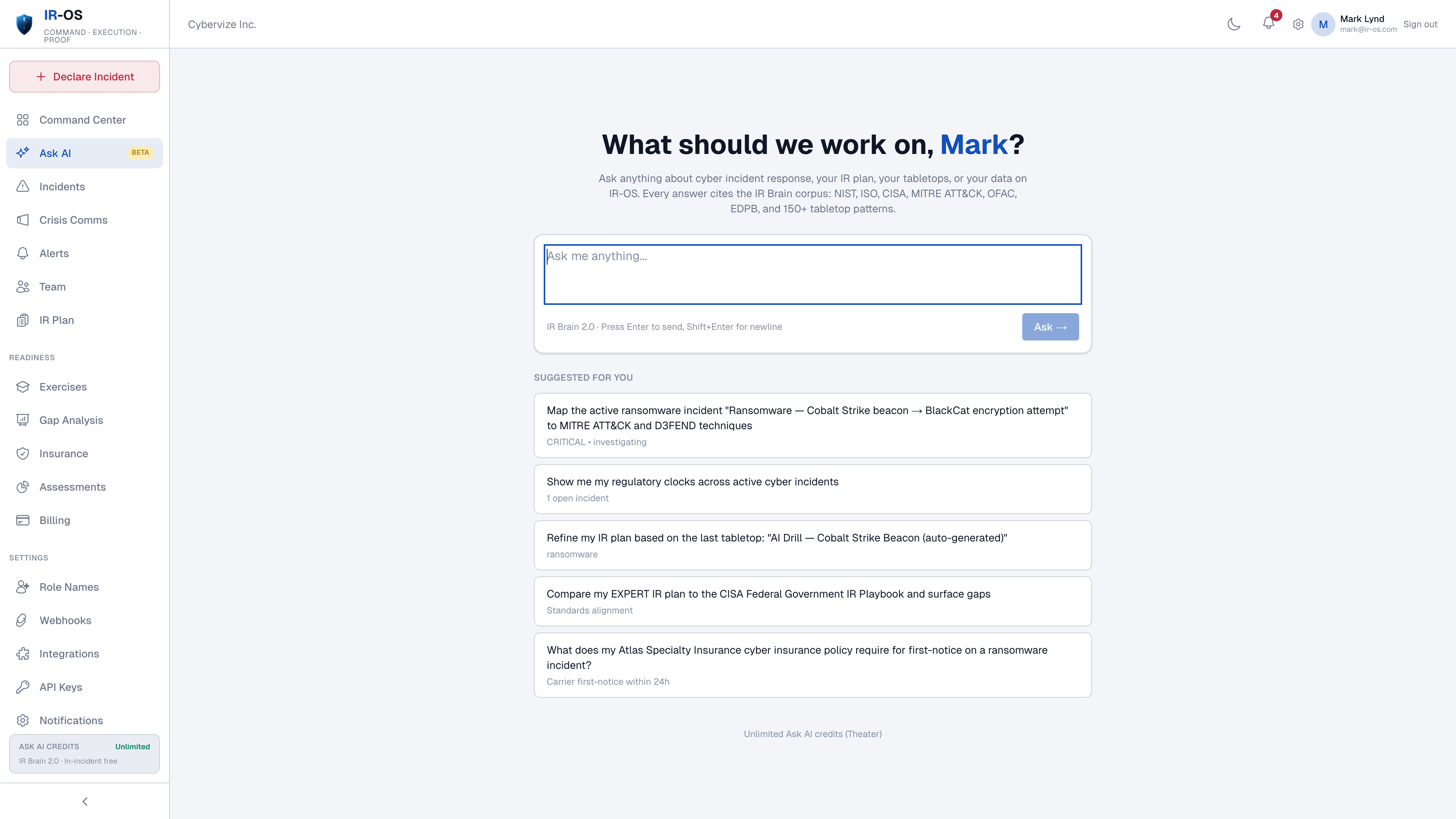
Coordinate and record the response. Containment actions are carried out through your authorized systems and teams.
Choose your starting point
Explore the demo first. Then choose the plan that fits your team and incident volume.
For a small response team.
$149 / month
For growing teams
For broader response coordination.
$299 / month
For complex organizations.
Let’s talk
Trials require a card. Cancel before day 7 to avoid a subscription charge.
Compare all features, annual pricing, and procurement options →
A few helpful answers
Explore the plan builder and incident demo without an account. These answers cover the broader evaluation.
More questions answered →Yes. The interactive demo needs no account or card and uses sample incident data. The separate 7-day subscription trial requires a card.
The guided demo creates a tailored sample plan in minutes. A production plan takes longer because your organization should review its people, systems, obligations, and approval choices.
Yes. Bring an existing plan into IR-OS, review its content, and turn it into assigned, usable response work instead of starting from a blank page.
IR-OS provides a shared process for facts, next actions, owners, decisions, deadlines, communications, recovery, and evidence so each participant can see what needs attention.
No. It supports the whole response team, including IT, business operations, legal, risk, communications, HR, and supporting partners. Access follows your organization’s permissions.
Yes. Upload the policy so authorized responders can reach important notice requirements, contacts, coverage conditions, and approved resources during planning and response. Your team should verify extracted details against the source policy.
Agents help prepare and review work. Your team reviews their output and makes response decisions. Recorded activity makes their work visible.
Yes. IR-OS presents shared work in clear steps so participants outside IT and cybersecurity can understand their responsibilities, provide updates, and support decisions.
Yes. Authorized users can manage requirements when timing or applicability changes, with the reason and follow-up information kept with the record.
IR-OS coordinates the cross-functional response around your existing tools. Technical teams continue to perform containment and recovery through the systems they are authorized to use.
The response record supports the after-action review, makes gaps and follow-up work visible, and helps your team apply lessons to the next version of the plan.
Visit our Security and Trust page for access controls, evidence verification, AI data handling, and security review information.
See the value for yourself
No account or credit card required.